Construction Services Elementor Template Kit
By Theme-vallyOne great value subscription from $16.50/month
- Unlimited downloads of 27+ million creative assets
- AI Tools: video, image and more
- Lifetime commercial license
- Easy cancellation
- Documentation IncludedUpdates includedPersonalized support not included
- File Types
- HTML, CSS, JS
- Additions
- Retina readyResponsive
- Compatible With
- Elementor
- Compatible Versions
- Tested up to version 6.0
- Commercial License
- Further Information
Description
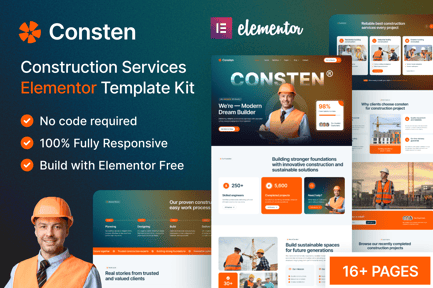
Consten – Construction Services Elementor Template Kit
Consten is a modern and clean Elementor Template Kit designed for Construction Companies, Building Contractors, Architects, and Engineering Firms. It features a professional design with fully responsive layouts, allowing you to build a high-quality website without writing any code.
Built for the Hello Elementor theme and compatible with the free Elementor plugin, Consten is lightweight, fast-loading, and easy to customize. Every page is carefully designed to showcase construction services such as residential and commercial projects, renovation, architectural design, and project management.
Whether you're creating a new construction company website or redesigning an existing one, Consten includes everything you need to establish a strong online presence.
Template Features
- Modern & Professional Design
- 100% Responsive & Mobile-Friendly
- 21+ Ready-to-Use Templates
- Fully Customizable with Drag & Drop
- Compatible with Elementor Free
- No Elementor Pro Required
- Built for the Hello Elementor Theme
- Retina Ready
- Cross-Browser Compatible
- Global Colors & Typography
- Fast Loading & SEO-Friendly Structure
- Clean & Well-Organized Layout
- No Coding Required
Templates Included
- Global Theme Style
- Header v1
- Footer v1
- Home One
- About Us
- Our Team
- Team Details
- Projects
- Project Details
- Services
- Service Details
- FAQ
- Gallery
- Pricing
- Blog Grid
- Blog List
- Blog Details
- Contact
- 404 Page
- MetForm Contact
- MetForm Contact Two
- MetForm Newsletter
Required Plugins
- Elementor (Free)
- ElementsKit Lite
- MetForm
- Jeg Kit for Elementor
- Gum Addon for Elementor
- Smart Custom 404 Error Page
- Ultimate Addons for Elementor (UAE)
- Skyboot Custom Icons for Elementor
- Marquee Addons for Elementor
How to Use
- Install and activate the required plugins.
- Import the Template Kit using the Envato Elements plugin or Elementor Template Kit importer.
- Import the Global Style.
- Import the Header and Footer templates.
- Import the remaining page templates.
- Import the MetForm templates if you want to use the contact forms.
- Assign the Header and Footer using the Ultimate Addons for Elementor Header & Footer Builder.
- Replace the demo content with your own text and images.
- Publish your website.
MetForm Setup
- Import the MetForm templates.
- Open the page containing the form in Elementor.
- Select the MetForm widget and create or edit the form.
- Insert the imported MetForm template.
- Customize the form if needed.
- Save and update the page.
Header & Footer Setup
- Open the Ultimate Addons for Elementor Header & Footer Builder.
- Create a new Header template.
- Set the display condition to Entire Website.
- Insert the imported Header template.
- Repeat the same process for the Footer template.
Images
Demo images are included for preview purposes only. Replace them with your own licensed images before publishing your website.